Privacy Drift: Keep WordPress privacy changes visible
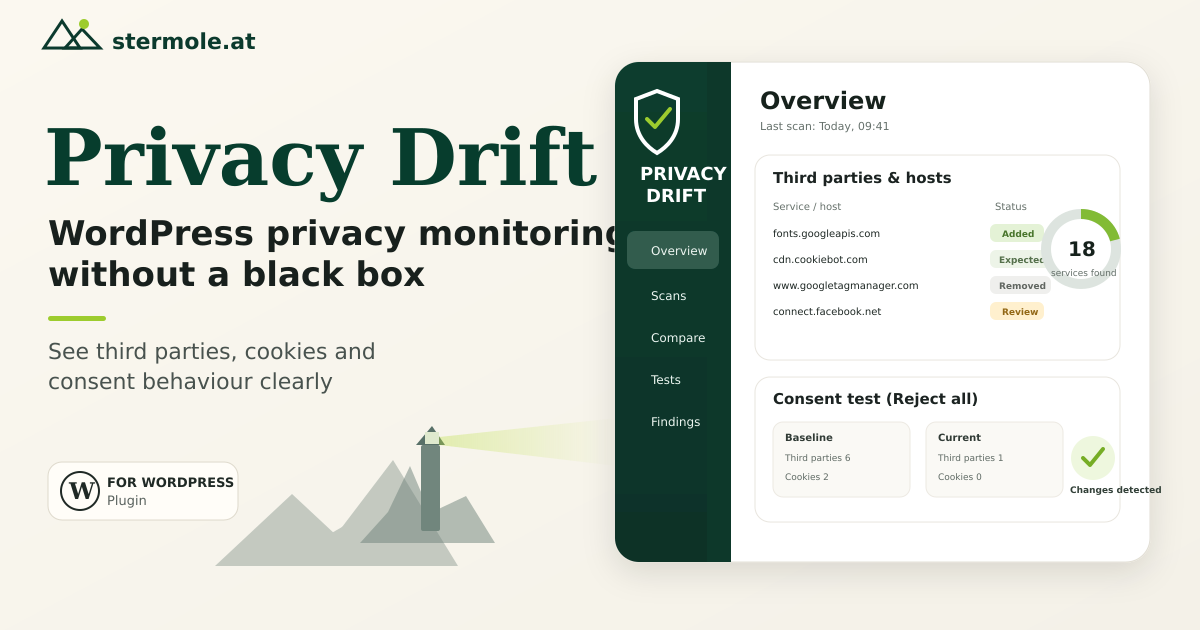
WordPress websites change constantly: a plugin gets updated, a marketing script is added, a YouTube embed appears or a consent manager is reconfigured. Technically, that is normal. From a privacy perspective, however, it creates an uncomfortable problem: the state you reviewed once does not automatically stay the same.
That is why I built Privacy Drift. The free WordPress plugin does not claim to make a website “GDPR compliant”. It answers a more practical question:
What changed technically — and should I review that change from a privacy perspective?
The real problem is drift
Many privacy reviews are snapshots. You inspect the website, configure the cookie banner and document the services in use. Then the website keeps changing.
Typical examples include:
- a plugin suddenly loads a new external resource,
- a tracking or marketing service is added,
- an embed introduces additional third parties,
- new cookies or browser-storage names appear,
- optional-looking activity is still observed after “Reject all”,
- a known integration disappears or changes host.
The individual change is not necessarily the problem. The problem is that nobody may notice it.
Privacy Drift therefore treats the known technical state as a baseline and makes later deviations visible.
What Privacy Drift actually checks
After installation, Privacy Drift can inspect the website from the browser's point of view. The first successful browser scan becomes the trusted baseline. Later scans show what was added or removed.
The plugin helps answer questions such as:
- Which external hosts does the website connect to?
- Which third-party resources are loaded in the browser?
- Which cookie or storage names are visible?
- What changed compared with the last known state?
- On which WordPress page, post or product was a finding detected, where WordPress can resolve the source?
- What happens technically when “Reject” is selected on a supported consent banner?
Results are grouped by service, host and resource type and supplemented with plain-language guidance.
The consent rejection test matters
A cookie banner can look correct while behaving differently from what you expect. Privacy Drift therefore includes a consent rejection test.
The test loads a fresh page state. It first captures observable third-party activity, looks for a rejection action on supported or unambiguous consent banners, performs that action and then compares the technical state before and after the choice.
Privacy Drift includes known selectors for Complianz, Cookiebot, OneTrust, CookieYes, Usercentrics, Real Cookie Banner and Borlabs Cookie. If a rejection action cannot be identified safely, the plugin does not click blindly — it reports the limitation instead.
That conservative behaviour is intentional: an automated test is useful only if it does not create false confidence.
No black box and no silent telemetry
I also wanted the plugin itself not to become another privacy problem.
Its core features therefore follow a local-first approach:
- scan results and baselines are stored in the local WordPress database,
- site URLs, installation IDs and usage data are not silently transmitted to me,
- cookie and storage values are not collected or transmitted,
- the core plugin does not require a Privacy Drift account or external Privacy Drift service,
- presentation assets are packaged locally with the plugin.
Optional host research through RDAP runs only after explicit permission from the individual administrator, and that permission can be revoked.
Mark expected changes instead of dismissing warnings
Not every new external resource is a problem. Some changes are intentional.
Privacy Drift therefore lets administrators mark findings as Expected. The decision is reversible and recorded in a local review and audit log. Over time, this avoids turning the dashboard into a pile of ignored warnings and instead creates a traceable technical review process.
The monitoring history also shows which findings were added or removed between scans.
What Privacy Drift explicitly is not
Privacy Drift is not a:
- cookie or consent management system,
- generic automatic script blocker,
- legal privacy audit,
- compliance certificate,
- promise that a website is GDPR compliant.
A browser scan can observe technical activity. It cannot determine the legal basis for a specific processing activity, which contracts exist or whether a privacy notice is complete.
That is why the plugin deliberately separates technical evidence from legal conclusions.
When I would use Privacy Drift
I find it particularly useful for WordPress sites that change frequently — through plugin updates, marketing, external embeds, e-commerce, or several editors and service providers.
A simple workflow is:
- Install Privacy Drift.
- Run the first browser scan and use the known state as the baseline.
- Scan again after larger plugin, theme, tracking or consent changes.
- Review newly added or removed findings.
- Run the consent rejection test when useful.
- Mark intentionally accepted changes as Expected.
This does not automate privacy compliance. But it makes technical changes much harder to miss.
Install Privacy Drift for free
Privacy Drift is available for free in the official WordPress Plugin Directory:
View and install Privacy Drift on WordPress.org
My current focus is improving the plugin based on real-world use: less noise, clearer guidance and a shorter path from “What changed?” to “What should I review now?”.
If you use Privacy Drift and encounter a website setup that is not detected cleanly, feedback is useful.
Note: Privacy Drift is a technical monitoring and diagnostic tool. It does not replace legal advice and does not guarantee GDPR, ePrivacy or other legal compliance.
Frequently asked questions
What does Privacy Drift do?
Privacy Drift monitors technical privacy signals on WordPress websites. It can detect third-party resources, browser-visible cookie and storage names, changes against a baseline and the technical behaviour of supported consent banners after rejection.
Is Privacy Drift a cookie banner or consent management plugin?
No. Privacy Drift does not replace a consent manager. It checks and documents technical changes and, for supported banners, can compare what loads before and after a rejection action.
Does Privacy Drift make a website GDPR compliant automatically?
No. Privacy Drift is a technical monitoring and diagnostic tool. It provides signals and technical evidence, but no legal advice, certification or guarantee of GDPR compliance.