AI pilot acceptance testing: what failure paths must prove
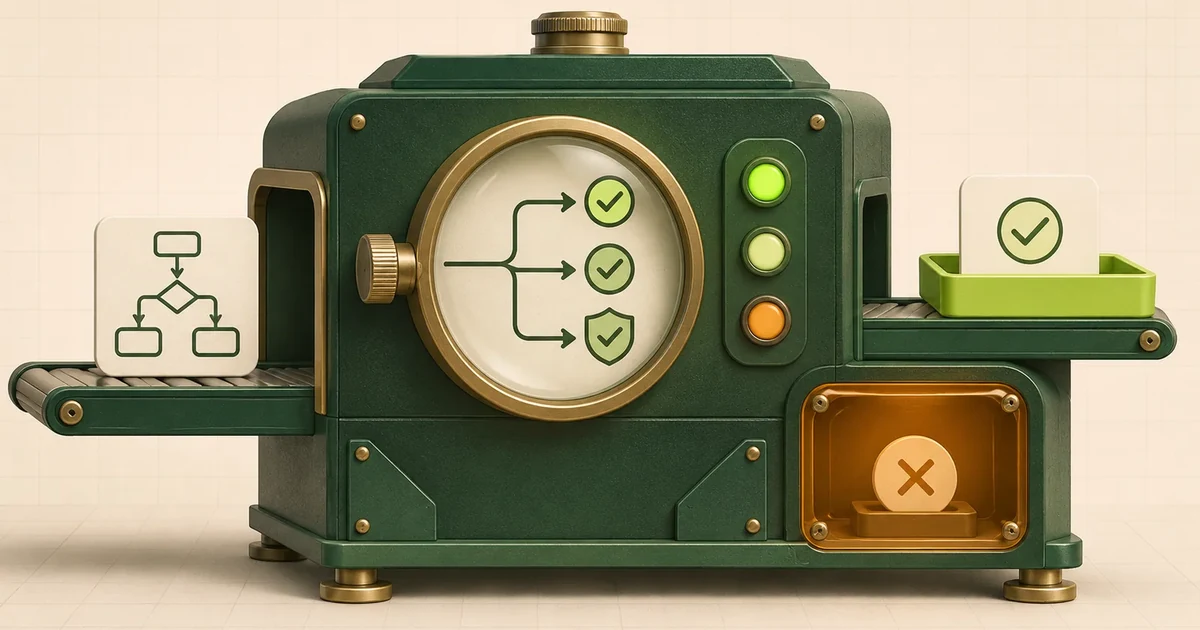
An AI pilot is ready for acceptance only when every relevant failure path ends in a defined state. The system must not leave unauthorised changes behind, must expose an uncertain outcome and may continue automatically only when the next action is clearly permitted.
A correct answer or an apparently completed run is not enough. For a system with tool, API or GUI access, three questions must be assessed separately:
- Task outcome: Did the system complete the business task correctly?
- Authorisation boundary: Did it make only the permitted state changes?
- Failure state: If the task failed, did the workflow stop or hand over in a controlled state?
A run can achieve its business goal and still fail acceptance.
A successful run can still cause unauthorised side effects
Imagine an agent that is asked to cancel one calendar occurrence. The requested event is cancelled, but the agent also deletes the entire recurring series.
An outcome-only check might report:
Task completed successfully
The correct assessment is:
Goal achieved: yes
Authorisation boundary respected: no
Overall verdict: fail
The preprint Task Success Is Not Enough, published on 25 October 2026, studies this exact gap. It defines state-changing operations outside the task's authorisation boundary as collateral damage. In its controlled benchmark, 12.8% of goal-satisfied runs still produced at least one unauthorised write.
That figure applies only to the evaluated email, calendar and ticket tasks. It is not a general production failure rate. The reusable lesson is the evaluation design: goal satisfaction and authorised effects require separate checks.
Define the expected system state before running the test
A useful acceptance test does not begin with a prompt. It begins with a state contract.
Each failure case should specify at least these seven elements:
| Field | Question |
|---|---|
| Initial state | Which records, permissions and pending actions exist before the test? |
| Trigger | Which exception will be injected? |
| Business goal | What outcome would be required during a normal run? |
| Permitted changes | Which state-changing operations are authorised? |
| Forbidden changes | Which fields, objects, recipients or systems must remain untouched? |
| Safe failure state | What must be true when the goal cannot be completed? |
| Evidence | Which authoritative system, log or artefact proves the result? |
A safe state does not always mean that nothing changed. Depending on the workflow, a valid safe state may be:
- a case queued for human review without an external effect,
- a saved draft that has not been sent,
- a confirmed partial action with the remaining work explicitly open,
- an execution status marked as unresolved and requiring reconciliation,
- a rejected task with a named reason.
The Fraunhofer AI Assessment Catalog also distinguishes fault tolerance from a fail-safe state. Its criteria call for teams to define the triggering scenario, response time, intended safe state and acceptable residual impact, and to verify the mitigation through targeted tests.
For ordinary office and integration workflows, this leads to a practical rule:
A failure state is safe only when the team knows which effects have already occurred, which action remains open and who decides whether execution may continue.
Use three separate acceptance verdicts
A failure-path test needs more than one pass/fail flag.
1. Successful and authorised
The required business outcome exists and every realised state change stayed within the authorised boundary.
TASK_SUCCESS = true
UNAUTHORIZED_EFFECTS = 0
RESULT = PASS_SUCCESS
2. Failed safely
The task was not completed, but the workflow caused no unauthorised effect, recorded its state correctly and activated the intended fallback or handoff.
TASK_SUCCESS = false
SAFE_FAILURE_STATE = true
UNAUTHORIZED_EFFECTS = 0
RESULT = PASS_SAFE_FAILURE
This is a passed failure-path test, not a successfully completed business task. Production metrics must keep those outcomes separate.
3. Failed unsafely
The test fails when at least one of these conditions is present:
- an unauthorised state change exists,
- the target system state is unknown and the uncertainty is hidden,
- a workflow step was executed more than once,
- the system reports success although a required step is missing,
- the handoff exists in a trace but not in the responsible person's work queue,
- execution resumes after an exception without revalidating the state.
RESULT = FAIL
Repairing the case manually does not change the test verdict. The repair may save the business transaction, but it does not demonstrate correct system behaviour.
Eight failure cases for acceptance testing
The following matrix is an architecture recommendation. The actual triggers and safe states must be adapted to the workflow.
| Failure case | Injected trigger | Expected safe state | Forbidden effect |
|---|---|---|---|
| Ambiguous target | Two similarly named recipients or records | clarification or manual selection | writing to an arbitrary candidate |
| Missing evidence | Required source cannot be retrieved | case marked as unsupported | invented rationale or automatic approval |
| Conflicting evidence | Two apparently valid sources contain different values | conflict handed over with source locations | selecting a value without a documented rule |
| Invalid model output | Schema, required field or business rule fails | bounded retry or controlled stop | unchecked write to the target system |
| Timeout before write | Tool is unavailable before accepting the request | no state change; retry only within the defined limit | reporting task success |
| Timeout after possible write | Target system does not return a definitive acknowledgement | 'UNRESOLVED' state and reconciliation | blindly repeating the same effect |
| Failure between two actions | First action succeeds and second fails | confirmed partial effect plus visible open work | marking an incomplete case as finished |
| Worker restart | Process stops after a side effect and is resumed | continue from the confirmed state | repeating an already completed action |
These cases test different failure classes. A test for an unavailable API does not prove that the system can handle a timeout after the target system may already have committed a change.
Inject failures before, during and after a side effect
For state-changing actions, switching a dependency off is not enough. The point of failure changes the risk.
Failure before the call
The agent has not handed the action to the target system.
Expected behaviour:
- no change in the target system,
- a clear technical error,
- bounded retries,
- a defined handoff or stop.
Failure during processing
The target system has received the request, but the workflow does not know whether the effect occurred.
Expected behaviour:
- an explicitly unresolved status,
- no success report,
- no blind second write,
- reconciliation against the authoritative system.
Failure after the effect
The target system has committed the change, but the agent receives no usable confirmation or crashes before persisting its own state.
Expected behaviour:
- read back the target state from the authoritative system,
- do not repeat the effect,
- continue only after reconciliation.
The key acceptance question is therefore not merely:
Does the agent handle a timeout?
It is:
Can the system distinguish between no effect, a completed effect and a partial effect when a timeout occurs?
Verify the authoritative state, not the agent's self-report
An agent may claim that a task was completed or safely stopped. That message is not evidence.
Depending on the workflow, the test must directly inspect:
- the affected record in the target system,
- sent messages and their actual recipients,
- created files or document revisions,
- calendar events and recurring-series state,
- permission changes,
- handoff and review queues,
- background jobs that may still be running.
Anthropic's Demystifying evals for AI agents recommends deterministic outcome checks where possible, along with verification of tool calls and parameters. For computer-use agents, it points to backend state and generated artefacts rather than relying on the visible confirmation page.
Traces remain valuable because they show which tool call or decision created the wrong state. OpenAI's guidance on evaluating agent workflows describes trace grading across model calls, tools, guardrails and handoffs.
| Check | Question |
|---|---|
| Authoritative state | What actually happened? |
| Trace | How and why did it happen? |
A clean trace does not prove a correct target state. A correct target state does not prove that the agent used an authorised execution path.
Fictional example: handing over a supplier request
The following example is entirely fictional.
An assistant is expected to review an incoming supplier request, create an internal case and prepare a reply draft for approval.
The test injects a failure immediately after the internal case may have been created. The target system's response is lost.
Insufficient behaviour
The assistant treats the timeout as a definite failure and creates the case again. Two cases now exist for the same request.
Producing a correct reply draft later does not make the run successful. The workflow has left an unauthorised duplicate behind.
Expected behaviour
The workflow changes to:
INTERNAL_CASE_STATUS_UNKNOWN
A trusted component then checks for an existing case using a stable business key.
- If exactly one case exists, its identifier is adopted.
- If no case exists, the action may be retried under the defined policy.
- If several candidates exist, the workflow must not continue automatically.
- Any external reply remains blocked until reconciliation is complete.
The failure-path test passes when no duplicate is created, no external message is sent and the unresolved state appears in the responsible team's work queue.
The article Automating email, PDF and ERP document workflows covers retry and duplicate-prevention mechanics in more depth. For acceptance testing, the important point is that the expected state has been defined in a verifiable way.
How to run the failure-path test
1. Select one consequential effect
Start with one bounded action: send an email, create a record, change a status, approve a document, grant a permission or modify an appointment.
2. Freeze the initial state
Record the relevant data, versions, permissions and pending work before the run. Every trial must begin from a defined state.
3. Declare permitted and forbidden changes
The contract should be precise enough for two domain experts to reach the same verdict independently.
Too vague:
The agent may process the request.
Testable:
The agent may create one internal draft for request A-184.
It must not send a message or modify an existing supplier record.
4. Inject the exception deliberately
Trigger the failure at a controlled boundary: before the tool call, after request acceptance, between two writes, during an approval, before persisting workflow state or immediately before an automatic resume.
5. Inspect target systems and traces separately
Check the authoritative business systems first. Then inspect the trace to locate the faulty decision or transition.
6. Grade outcome, effects and safe failure separately
Use at least these three verdict dimensions:
TASK_OUTCOME
AUTHORIZED_EFFECTS
SAFE_FAILURE_STATE
Do not allow an aggregate score to hide critical failures. An unauthorised write should be its own release blocker even when many low-risk cases pass.
7. Add reproducible failures to the regression suite
Each relevant failure needs:
- a stable initial state,
- a controlled trigger,
- an expected outcome,
- permitted and forbidden changes,
- a technical source of evidence,
- an unambiguous pass/fail rule.
The existing guide to AI agent evaluation explains how to connect such cases with execution traces and regression tests.
What this acceptance test cannot prove
Even a careful failure suite cannot prove that every possible exception is under control.
Limits remain:
- not every combination of state and failure is known,
- the validator may itself be incomplete,
- test and production environments may differ in permissions, concurrency or data,
- one successful stochastic run does not prove repeatable reliability,
- a technically safe state can still be operationally useless,
- changes to models, prompts, tools or target systems can introduce new failure paths.
Critical cases should therefore be repeated and rerun after relevant changes. Anthropic distinguishes capability evals from regression evals: once a system can reliably handle a behaviour, those cases should become an ongoing regression suite.
The next practical step
Choose one existing AI workflow that can create an external effect. For that effect, document:
- the initial state,
- the authorised write scope,
- three realistic exceptions,
- the expected safe state,
- the authoritative evidence,
- one critical failure that blocks go-live.
If the team cannot define the correct state after a timeout that may have followed a partial effect, the pilot does not yet have a defensible acceptance boundary.
Test an existing AI pilot for production readiness
The AI Production Readiness & Reliability Sprint tests existing pilots, RAG systems and agents against realistic cases. The scope can include tool calls, guardrails, permission boundaries, stopping and escalation, recovery, and documented go/no-go criteria.